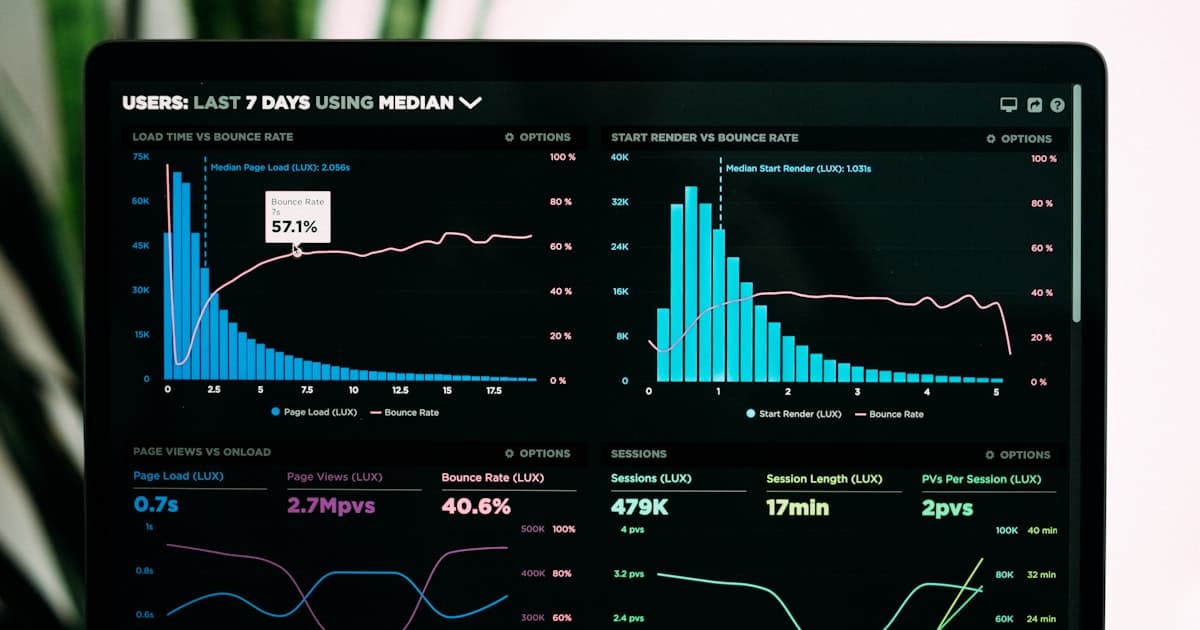
You're throwing money at marketing without knowing what works.
Imagine spending $500 on Facebook ads, but having no idea which ad convinced someone to walk into your coffee shop. Or, picture this: you've spent months building a website, but can't tell if your Google Ads campaign is driving actual customers to your door.
The problem is: most small businesses don't track their marketing efforts effectively.
60%↓
Small businesses without tracking
Source: Google, HubSpot
70%↑
Businesses with basic tracking
Source: Google, HubSpot
80%↑
Businesses with basic analytics
Source: Google, HubSpot
90%↑
Businesses with advanced analytics
Source: Google, HubSpot
Tracking your marketing efforts is crucial to understanding what drives sales, increasing conversions, and making data-driven decisions. That's where UTM parameters come in – a simple way to track every marketing campaign and get a clear picture of what's working.
What are UTM parameters?
UTM parameters are a series of tags you add to your URLs to track the performance of specific marketing campaigns. They help you understand which channels, ads, and campaigns drive the most conversions and revenue.
Why do you need UTM parameters?
Track every campaign: UTM parameters allow you to monitor the performance of every marketing effort, from social media ads to email campaigns.
Understand your customers: By tracking UTM parameters, you can see which channels and campaigns attract your target audience.
Measure ROI: UTM parameters help you calculate the return on investment (ROI) of each campaign, making it easier to allocate your marketing budget.
How to set up UTM parameters
Setting up UTM parameters is a straightforward process:
Choose your UTM parameters: Select the parameters you want to track, such as campaign name, source, medium, and content.
Create a landing page: Design a dedicated landing page for each campaign, with a clear call-to-action (CTA) that matches the campaign's goal.
Add UTM parameters: Include the UTM parameters in your URL, using the following format: utm_source=[source]&utm_medium=[medium]&utm_campaign=[campaign].
Track your results: Monitor your campaign's performance in Google Analytics or your preferred analytics tool.
UTM parameter types
There are five types of UTM parameters:
utm_source: The source of the traffic, such as Facebook or Google.
utm_medium: The marketing medium, like social media or email.
utm_campaign: The specific campaign or promotion.
utm_content: The content of the ad or email.
utm_term: The keyword or phrase used in a paid ad.
UTM parameter examples
Here are a few examples of how to use UTM parameters:
Social media ad: utm_source=Facebook&utm_medium=Social&utm_campaign=CoffeeShop&utm_content=Ad1
Here's an example of how UTM parameter performance might look:
UTM Parameter Performance
Campaign ABest
% of total conversions100
Campaign B
% of total conversions50
Campaign C
% of total conversions20
Source: Google Analytics
Common UTM parameter mistakes
Here are a few common mistakes to avoid when using UTM parameters:
Pro Tip
Use a consistent naming convention for your UTM parameters to avoid confusion.
Watch Out
Don't forget to include UTM parameters in your URLs for each campaign.
Real Example
Here's an example of a well-set-up UTM parameter: utm_source=Facebook&utm_medium=Social&utm_campaign=CoffeeShop&utm_content=Ad1.
Frequently Asked Questions
Q: What are UTM parameters?
A: UTM parameters are a series of tags added to URLs to track the performance of specific marketing campaigns.
Q: Why do I need UTM parameters?
A: UTM parameters help you track every campaign, understand your customers, and measure ROI.
Q: How do I set up UTM parameters?
A: Choose your UTM parameters, create a landing page, add UTM parameters to your URL, and track your results.
Q: What types of UTM parameters are there?
A: There are five types of UTM parameters: utm_source, utm_medium, utm_campaign, utm_content, and utm_term.
Q: How do I use UTM parameters for social media ads?
A: Include UTM parameters in your social media ad URLs, using the format utm_source=Facebook&utm_medium=Social&utm_campaign=CoffeeShop&utm_content=Ad1.
Q: Can I use UTM parameters for email campaigns?
A: Yes, use UTM parameters in your email campaign URLs, such as utm_source=Email&utm_medium=Promo&utm_campaign=SummerSale&utm_content=Email1.
Get more customers with DataLatte
Tracking every marketing campaign with UTM parameters is just the beginning. With DataLatte's expert guidance, you can create a comprehensive marketing strategy that drives real results.
Q: Do I really need UTM parameters? Can’t I just look at Google Analytics data?
Google Analytics shows you where traffic comes from, but only at a high level. It’ll tell you “Facebook” sent you visitors. It won’t tell you which specific Facebook ad, which audience, which creative, or which campaign. If you run five different Facebook ads, GA shows them as one lump of “social traffic.” UTM parameters let you separate them. One client in Portland found that one specific ad creative drove 80% of their bookings. They turned off the other four ads and saved $1,100 a month.
Q: What if someone types my URL directly instead of clicking the link?
That happens. A lot. Especially with ads that build brand awareness. When someone sees your ad, remembers your name, and types it in, UTM parameters don’t fire. That’s fine. You’re still getting the sale. You just can’t track it back to that specific ad. To fix this, use promo codes unique to each campaign. Or accept that direct traffic is a black box and focus your tracking on click-based campaigns. The UTM data from those campaigns is still accurate — you just won’t capture every single influenced sale.
Q: Can UTM parameters mess up my website?
No. They sit in the URL and don’t affect anything on your site. Your page loads normally. Google Analytics reads the tags in the background. If someone bookmarks a tagged URL, they’ll come back with those tags still attached. That’s the only annoyance. Use a link shortener and it won’t matter.
Q: How do I track phone calls from ads?
UTM parameters don’t track calls. You need call tracking software like CallRail, WhatConverts, or a built-in solution from Google Ads (call extensions). These tools use different phone numbers for different campaigns. When a call comes in, the software logs which campaign triggered it. I set this up for a plumbing company in Denver. They were spending $2,500/month on Google Ads and had no idea which keywords generated calls. After call tracking, they discovered that “emergency plumber” had a 34% close rate while “plumbing repairs” had 9%. They shifted budget and monthly revenue increased by $4,200.
Q: Do I need to tag every single link?
No. Tag the links that matter. Your top-of-funnel ads. Your email campaigns. Your paid search. Skip internal links, navigation menus, and social media profile links unless you’re specifically testing them. If you tag everything, your data gets noisy and you’ll stop paying attention. Start with your three biggest channels. Add more later.
Q: What if I run ads on Yelp or Booksy — do those platforms work with UTM tracking?
Yes, if you can add a custom URL. On Yelp, when you create a call-to-action ad (like “Get a Quote” or “Book Now”), Yelp controls the destination. You can’t add UTM tags there. But if you run Yelp Display Ads or Search Ads that link to your website, you can add UTM parameters to the destination URL. Same with Booksy — if you’re driving traffic to your own site, tag those links. If you’re pointing to a Booksy-hosted booking page, you’re stuck with whatever tracking Booksy provides.
I once spent two hours untangling a client’s UTM data that was five years old and had sixteen different naming conventions. She had been guessing which campaigns worked for half a decade. When we finally cleaned it, she found that a $200/month Pinterest campaign had been driving 30% of her leads the entire time. She had been thinking it was a waste. She almost canceled it.
Don’t be that person. You don’t have to be perfect at this. You just have to start. Tag your next campaign. Check the data after a week. Make one small adjustment based on what you see. That’s it. That’s how you stop guessing and start knowing.
If you want help setting up your tracking so you never wonder where your next customer is coming from, Book a free consultation.
Local marketing strategist with 10+ years at global agencies — OMD, Dentsu, GroupM, and BBDO. Now helping small businesses get the same data-driven edge. Based in Europe, working with clients in the US, UK, Australia, and beyond.