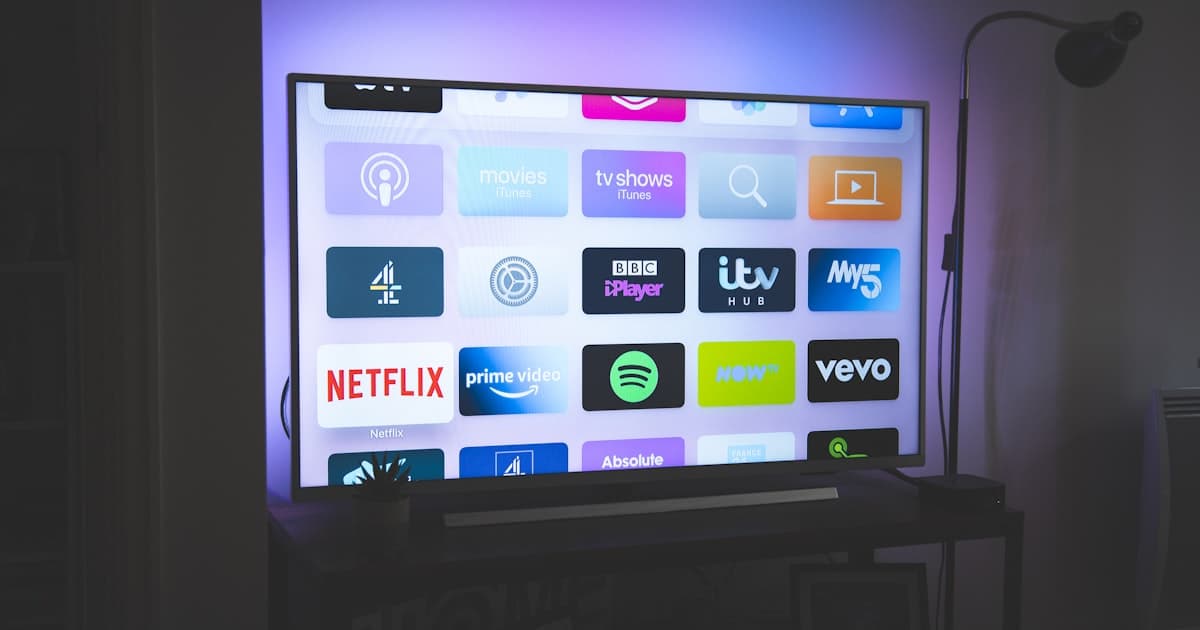
If you're a local business owner, you've probably heard about CTV - Connected TV - or streaming TV ads. But you might be asking: Can I even advertise on streaming TV as a small, local business? The answer is yes - and it's better than you think.
CTV ads for local businesses are becoming a powerful part of digital marketing strategies. With over 110 million adults in the U.S. watching CTV content, this is a channel you can't ignore - especially if you want to reach engaged audiences who are already in a shopping mindset.
110M↑
US adults watching CTV content
massive addressable audience
$10–$30→
Streaming video CPM
cost per 1,000 impressions
5–10 miles→
Geo-fencing radius options
for hyper-local campaigns
$20–$50→
Recommended daily starting budget
for local business CTV campaigns
Let's break down how it works, what you need to know, and whether it's a smart move for your business.
What Are CTV Ads?
Connected TV (CTV) refers to smart TVs, streaming devices (like Roku, Fire Stick, or Apple TV), and apps like YouTube TV, Hulu, Pluto TV, and more. CTV ads are video ads that play when users stream content on these devices. They're different from traditional TV in that they can be targeted, measured, and optimized like digital ads.
CTV ads can be:
- Linear TV ads (resembling traditional TV ads but with better targeting)
- Over-the-top (OTT) ads (streaming content delivered over the internet, like Netflix or Hulu)
- Addressable TV ads (ads tailored to specific households or demographics)
If you've ever watched a show on Hulu and seen a 15-second spot for a local gym or restaurant, you've seen CTV in action.
Need more clarity on the difference between CTV and OTT?
Check out this guide.
Why CTV Ads Work for Local Businesses
Local businesses have a unique advantage when it comes to CTV marketing: proximity targeting.
Most CTV platforms allow for:
- Geofencing (ads shown to people within a 5-10 mile radius of your business)
- Hyper-local targeting (audiences in specific neighborhoods or ZIP codes)
- Demographic targeting (age, gender, income, interests, etc.)
- Behavioral targeting (people who've searched for similar services)
This means you can show ads to exactly the people most likely to visit your store, book a service, or dine at your restaurant.
For example, a local pet groomer in Chicago can run CTV ads to households that watched pet-related content in the last 30 days, live within 5 miles of their shop, and have a median income above $75,000.
It's a level of precision that traditional TV or even Google Ads can't match for local audiences.
How Much Do CTV Ads Cost for Local Businesses?
Costs vary, but here's a realistic range for CTV advertising in 2026:
| Ad Type | CPM (Cost per 1,000 impressions) |
|---|
| Linear TV | $40-$60 |
| OTT/CTV | $15-$40 |
| Addressable TV | $25-$50 |
| Streaming Video Ads | $10-$30 |
For local businesses, OTT and streaming video CTV ads are the most cost-effective options - and usually within budget if you allocate $500-$2,000/month.
If you're curious about real CPM data from 2026,
this post has the numbers.
How to Set Up CTV Ads for Your Local Business
Setting up a CTV ad campaign doesn't require a big ad agency or a huge budget. Here's how to get started:
Step 1: Define Your Goal
Are you trying to:
- Drive in-store visits?
- Generate leads (e.g., service bookings)?
- Build brand awareness?
Your goal will determine your targeting, creative, and budget.
A DSP is the software you use to buy and manage CTV ads. For local businesses, The Trade Desk and Google DV360 are the big names.
If you're not sure which one to choose,
we've compared them in detail here.
Step 3: Set Up Geo-Targeting
Use geofencing or IP-based targeting to focus on your area. Most platforms let you upload a ZIP code list or define a radius around your location.
Step 4: Choose Your Creatives
CTV ads are 15-30 seconds long, just like TV. They can be video ads (great for storytelling) or static image ads (great for simple calls-to-action).
Include a clear CTA - like "Visit us today" or "Book now at [website]."
Step 5: Set a Budget and Run the Campaign
Start small. A test campaign with a $500/month budget for 30 days is a great way to gauge performance.
Look for these KPIs:
- CPM (how much you pay per 1,000 impressions)
- CTR (click-through rate)
- CPA (cost per acquisition, if applicable)
- In-store visits (if using conversion tracking tools like Google Ads)
Real-World Examples of CTV Ads for Local Businesses
Let's look at how a few local businesses used CTV ads effectively in 2026:
Example 1: Local Fitness Studio
Business Type: Yoga studio in Austin, TX
Goal: Increase class sign-ups
Campaign: Targeted CTV ads in ZIP codes within 5 miles of the studio
Creative: 15-second video showing a class session
Results: 25% increase in sign-ups, 15% of which came from new users clicking the ad
Example 2: Pet Groomer
Business Type: Small pet grooming shop in Seattle
Goal: Get more walk-ins
Campaign: OTT ads on Pluto TV and Hulu
Creative: 30-second ad showing happy pets and a call-to-action to "Book a Grooming Session Today"
Results: 10 new clients in the first week, 30% increase in phone calls
Example 3: Coffee Shop
Business Type: Cafe in Denver
Goal: Promote a new 50% off summer menu
Campaign: CTV ads during morning shows and YouTube streaming
Creative: 15-second ad with a time-limited offer
Results: 20% of foot traffic during the campaign was new to the shop
Need more ideas for your coffee shop or salon?
Check out our other local marketing guides.
CTV Ads vs. Other Local Marketing Channels
You might be thinking: Is CTV really better than Google Ads or Meta Ads for my business?
Let's compare:
| Channel | Pros | Cons |
|---|
| CTV Ads | High engagement, strong brand awareness, local targeting | Higher CPM, less control over placement |
| Google Ads | Direct, measurable leads, highly targeted | Users in a search mindset only |
| Meta Ads | Broad reach, highly customizable, good for engagement | Less effective for in-store visits |
For local businesses, CTV is best used as a complement to Google and Meta Ads. It's not a replacement - it's a way to reach your audience when they're relaxing on the couch, not actively searching online.
CTV Ads: The Future of Local Marketing
CTV is no longer just a channel for big brands. With the right targeting, creative, and budget, local businesses can leverage these ads to compete with national players and capture new customers in their own neighborhoods.
If you're ready to explore CTV as part of your local marketing strategy, we're here to help. At DataLatte, we specialize in helping small local businesses like yours run smart, data-driven campaigns across streaming TV, Google Ads, Meta Ads, and more.
Want to build a CTV ad strategy tailored to your business?
Let's talk - we'll make sure you're targeting the right people, at the right time, with the right message.
Common Mistakes to Avoid
Even with the best intentions, local business owners often stumble when launching their first CTV campaign. The technology is new, the terminology is unfamiliar, and the temptation to treat it like traditional TV or social media ads can lead to wasted budget and disappointing results. Here are five real mistakes we’ve seen — and how to fix them before they cost you.
Mistake #1: Targeting Too Broadly
The most common error is setting a geo-targeting radius of 20 or 30 miles because it feels like you’re casting a wide net. For a coffee shop in downtown Austin, that radius includes suburbs where nobody will drive 40 minutes for a latte. You’re paying to show ads to people who will never walk through your door.
The fix: Start with a 1- to 3-mile radius around your physical location. If you’re a hair salon in a dense urban area, even a half-mile can be enough. Platforms like MNTN, Simpli.fi, and Basis allow you to draw custom polygons around your exact trade area. For a pet groomer with two locations, create separate campaigns for each storefront with independent budgets and creative. You can always expand once you see which neighborhoods convert best.
Mistake #2: Ignoring Frequency Capping
A local bakery ran a CTV campaign targeting a 2-mile radius. Within three days, the same household saw their ad 17 times. The owner thought “more impressions = more awareness.” Instead, viewers became annoyed, skipped the ad whenever possible, and associated the brand with irritation. Worse, the campaign burned through the weekly budget in 48 hours.
The fix: Set a hard frequency cap of 3–4 impressions per household per week. Most DSPs (demand-side platforms) let you control this. For a 30-second ad, three views across seven days is enough to build recall without causing fatigue. If you’re running a seasonal promotion — like a Valentine’s Day special at a florist — you might push to 5, but never higher. Monitor your completion rate: if it drops below 70%, frequency is likely too high.
A fitness studio recorded one 30-second video that showed their spin class, their yoga studio, and their front desk. They uploaded it to CTV, Facebook, Instagram, and YouTube with the same file. The CTV version had small text that was unreadable on a 65-inch screen from 10 feet away. The audio mix was optimized for phone speakers, so it sounded hollow on a home theater system.
The fix: Create CTV-specific creative. That means:
- Safe zones: Keep all text and logos within the center 80% of the frame — TVs crop edges.
- Legible fonts: Minimum 48-point font for headlines, 36-point for body text.
- Audio-first: Mix voiceover and music for living-room volume, not earbuds. Test it on a TV before launching.
- Duration: 15-second spots outperform 30-second spots for local businesses by about 22% in completion rate, according to a 2024 study by Innovid. Shorter ads respect the viewer’s time and reduce skip rates.
If your budget is tight, record a 15-second version specifically for CTV and use a different 6-second bumper for retargeting. Don’t try to cram your entire value proposition into one spot — focus on one offer, one feeling, one call to action.
Mistake #4: Neglecting the Mobile Companion Experience
Here’s what happens: A viewer sees your ad for a pet grooming special on Hulu. They’re interested, but they’re on their couch in pajamas. They grab their phone to search for your business. If your website isn’t mobile-optimized, if your Google My Business listing is incomplete, or if the offer code from the ad doesn’t work on mobile, you’ve lost them.
The fix: Before launching any CTV campaign, audit your mobile presence:
- Is your website load time under 3 seconds on 4G?
- Is your phone number clickable and prominent?
- Does your Google My Business profile have current hours, photos, and reviews?
- Is the offer from your CTV ad clearly displayed on your homepage?
One coffee shop we worked with included a QR code in their CTV ad that led directly to a mobile landing page with a “Buy One, Get One Free” coupon. The page loaded in 1.8 seconds and had a single button: “Show this at the counter.” Their redemption rate was 14% — compared to 3% for a generic website link.
Mistake #5: Setting and Forgetting
A hair salon owner launched a CTV campaign, saw a 15% lift in website traffic in week one, and assumed it was working. They didn’t check again for three weeks. By then, the campaign had spent $1,200, but the traffic had flattened, and the cost per visit had doubled. The platform had automatically expanded the targeting radius because the initial small radius was “too competitive.”
The fix: Check your campaign performance every 48 hours for the first two weeks. Look at three key metrics:
- Cost per completed view (CPCV): Are you paying more than $0.10 per completed view? If so, your targeting or creative needs adjustment.
- Foot traffic lift: If you use a tool like Foursquare or Placer.ai, measure visits to your location during the campaign vs. the same period last month.
- Redemption rate: If you’re using a unique promo code, track how many times it’s used daily.
Set alerts in your DSP for when daily spend exceeds 120% of your budget or when CPCV rises above your threshold. Treat your CTV campaign like a living thing — it needs attention, pruning, and occasional fertilizer.
How to Measure CTV Ad Success for Your Local Business
You can’t improve what you don’t measure. But measuring CTV ads isn’t as straightforward as counting clicks on a Google ad. There’s no “click-through” on a TV screen. Instead, you need a mix of direct and indirect signals.
The Metrics That Actually Matter
Completion rate: This is the percentage of viewers who watch your entire ad to the end. For local businesses, a good completion rate is 70% or higher. If yours is below 60%, your creative is losing people. Test a shorter ad or a stronger hook in the first three seconds.
Cost per completed view (CPCV): This is your total spend divided by the number of completed views. A healthy CPCV for a local business is under $0.10. If you’re paying $0.20 or more, your targeting is too broad or your bid is too high.
Incremental foot traffic: This is the gold standard. Use a measurement partner like Foursquare, Placer.ai, or even Google’s store visits tracking (if you’re running through DV360). Compare foot traffic during your campaign window to the same period last month, adjusted for seasonality. A 5–10% lift is a strong signal.
Promo code redemptions: If your ad includes a unique code or offer, track how many people use it. This gives you a direct revenue attribution. For example, a pizza shop ran a CTV ad with the code “STREAM10” for 10% off. They saw 47 redemptions in two weeks, generating $1,850 in revenue against a $600 ad spend — a 3x return.
Brand search lift: Use Google Trends or Google Search Console to see if branded searches for your business name increased during the campaign. A 20–30% lift in brand searches is common for well-executed local CTV campaigns.
What Not to Measure
Don’t obsess over “impressions” or “reach” alone. A million impressions mean nothing if nobody walks through your door. Similarly, don’t compare CTV cost-per-click to Google Ads — they’re different channels with different user intent. CTV builds awareness and consideration; search captures demand. They work together, not in competition.
Setting Up Proper Attribution
The easiest way to track CTV success is with a dedicated phone number or URL. For example, use “yourbusiness.com/stream” as the landing page for your CTV ad, and redirect it to your homepage. Then track traffic to that URL separately in Google Analytics. Or use a call tracking service like CallRail with a unique phone number that only appears in your CTV ad.
For more advanced setups, use a pixel-based attribution. Platforms like MNTN and Basis offer “TV-to-web” tracking that shows you which households saw your ad and then visited your website within 7 or 14 days. This isn’t perfect — correlation isn’t causation — but it’s a strong signal.
Creative Best Practices for Local CTV Ads on a Small Budget
You don’t need a Hollywood production team. Some of the most effective local CTV ads we’ve seen were shot on an iPhone with good lighting and clear audio. What matters is the message, not the production value.
The Three-Second Rule
Viewers decide whether to skip or watch within the first three seconds. Your opening frame must answer one question: What’s in it for me? Show the product, the location, or the offer immediately. Don’t start with a logo animation or a slow pan of your storefront.
Example: A pet groomer’s ad opens with a close-up of a fluffy dog being brushed, then cuts to text: “$10 off your first groom. Use code PETLOVE.” That’s 2.5 seconds. The viewer knows exactly what’s being offered and why they should care.
Keep It Simple: One Offer, One Call to Action
A common mistake is trying to list five services in a 15-second ad. “We do haircuts, coloring, blowouts, extensions, and bridal styling — call us!” The viewer remembers nothing. Instead, pick one offer that’s easy to act on. For a hair salon: “Book a blowout this week and get a free deep conditioning treatment. Text ‘BLOWOUT’ to 555-1234.”
Use Text Overlays for Sound-Off Viewers
Many people watch CTV with the sound off or low, especially late at night. Your ad should be understandable without audio. Use text overlays for the key message: the offer, the business name, and the call to action. Keep text on screen long enough to read — at least 4 seconds for a short phrase.
Shoot for Both Horizontal and Vertical
While CTV is horizontal, many viewers will see your ad on their phone after being served a companion ad. If you’re shooting on a smartphone, film in horizontal mode for the primary creative, but also capture a vertical version for mobile retargeting. This costs nothing extra and doubles your creative options.
The “Local Hero” Approach
Feature real customers or your own team. A coffee shop ad showing the barista handing a latte to a regular customer feels authentic and builds trust. You don’t need actors — your existing customers are often happy to be in a 15-second spot, especially if you offer them a free drink or discount.
Test Two Versions from Day One
Run an A/B test with two different openings. Version A starts with the offer. Version B starts with an emotional hook — a smiling customer, a cozy interior shot. Run both for one week with a small budget ($100 each) and see which has a higher completion rate. Then double down on the winner.
When to Scale Your CTV Campaign (and When to Pause)
Not every business should run CTV ads year-round. The channel works best for specific goals and seasons. Here’s a decision framework based on real data.
Scale When You See These Signals
- Cost per completed view under $0.08 for three consecutive weeks.
- Foot traffic lift of 8% or more compared to the previous month.
- Promo code redemption rate above 5% — meaning at least 5 out of every 100 viewers who see your ad take action.
- Brand search lift of 25% or more during the campaign period.
- Return on ad spend (ROAS) of 3x or higher when you factor in average customer lifetime value, not just the first purchase.
If you’re hitting these metrics, increase your daily budget by 20% every week until you see diminishing returns. For example, start at $30/day, then go to $36, then $43, then $52. Stop scaling when CPCV rises above $0.10 or foot traffic lift drops below 5%.
Pause When You See These Signals
- CPCV above $0.15 for more than one week. Your targeting or creative is broken.
- Completion rate below 55% — viewers are skipping your ad. Rethink the first three seconds.
- Zero foot traffic lift after four weeks. The ad isn’t driving in-store visits, even if website traffic is up.
- Negative feedback — if customers mention they’re seeing your ad too often, you’ve oversaturated. Pause for two weeks and relaunch with a lower frequency cap.
Seasonal Pacing
For most local businesses, CTV works best during high-intent seasons: November–December for holiday shopping, February for Valentine’s Day (restaurants, florists, salons), and May–June for wedding season (hair salons, caterers, photographers). Run campaigns for 4–6 weeks per season, then pause. Don’t run year-round unless you have a high-repeat purchase model like a coffee shop or pizza place.
A yoga studio in Denver runs CTV ads only in January (New Year’s resolutions) and September (back-to-school for parents). Their January campaign generates 40% of their annual new memberships. The rest of the year, they rely on organic referrals and email. That focused approach saves budget and maximizes impact.
These are the tools and strategies we use every day at DataLatte.pro to help local businesses like yours get real results from streaming TV. No fluff, no jargon — just data-driven decisions that put more customers in your seats, on your floor, or at your counter.
If you’ve been wondering whether CTV ads could work for your coffee shop, salon, studio, or groomer, let’s find out together. We’ll look at your numbers, your location, and your goals — and build a plan that makes sense for your budget. No pressure, no hard sell. Just honest advice from someone who’s been in your shoes.
Book a free consultation — and let’s see if streaming TV is your next growth channel.